Latest Blogs
Software Development
Ramsha Khan
Jul 14, 2026

What is Incident Management: Your Guide to Top Tools, T...
Disruptions at times can affect entire operations and cause damage to the trust of customers. What is Incident Management? We need a systematic approach that effectively detects, responds, and fixes these disruptions as they appear.
Today, we will discuss all the ins and outs of incident management, its essential steps, different forms, and the best tools and practices for optimizing your incident management strategies.
Incident management is a process that businesses use to handle disruptions during normal operations. This is a primary part of an incident management system and IT service management (ITSM), and it indicates that services should be restored as soon as possible. An effective incident management software effectively automates and streamlines processes to support the IT teams in tracking, responding and resolving issues.
The purpose of incident management is to provide structured responses to incidents to ensure that downtime is reduced, and all systems are reliability enhanced. With improved incident management, your organization’s service quality is improved, compliance requirements are met, and customer satisfaction is enhanced infinitely.
The NIMS, or National Incident Management System, is a systematic approach that helps organizations address emergencies, manage IT Resource Allocation services, and major incidents. This method works on the basis of establishing a common framework of incident response, coordination, and recovery, starting from the national level down to the local.
Incident management comes in different forms depending on the nature of the issue, the people involved, and the approach taken to resolve it. Here’s a closer look at the main types:
This is all about addressing problems after they happen. The goal? Get things back to normal as quickly as possible. The process involves identifying the issue, examining the root cause of the problem, and then implementing a solution.
Instead of waiting for something to break, proactive incident management focuses on preventing incidents before they happen. organizations achieve that through monitoring systems that help in identifying potential vulnerabilities and putting up strategies that minimize the risks.
Some incidents are more critical than others; like system outages or security breaches. These high-priority events require a committed response team, a well-defined escalation procedure, and clear communication to ensure that there would be no delays in resolving the issues.
Not all issues are emergencies; there exist quite a few requests like resetting a password, giving access approvals, and many more requiring a service request management system. These are not technically termed as incidents, but they make or break efficient IT operations.
Some issues keep coming back. Problem management is meant to identify and address the root cause of repeating incidents, to ensure they don’t occur again. It is more of a long-term fix, instead of a quick patch.

A structured approach ensures that incidents are handled quickly and effectively. Here’s how it works:
This is the first step, identifying and logging the problem. Once the system allows for continuous monitoring, it can catch anomalies early on, which, in turn, minimizes impact and maximizes resolution time.
As soon as an incident occurs, it should be categorized for severity. This ensures that those problems are addressed most urgently and get worked on first.
This is the detective stage, getting to the root cause with a solution being the next best choice. Understanding things further will prevent the same problem from occurring again.
Once a fix is identified, it’s implemented. Teams test solutions, confirm everything is back to normal, and ensure that all user access management has enabled users to resume their work without disruption.
Finally, every incident is documented, lessons are learned, and strategies are updated to prevent similar issues in the future. This continuous improvement keeps systems running smoothly.
Different people play crucial roles in resolving incidents. Here’s who does what:
The right tools can make all the difference. Here are three of the best:
A powerful platform that automates workflows, uses AI for incident categorization, provides real-time dashboards, and integrates seamlessly with other IT Help Desk Supporting Ticketing Systems.
A user-friendly tool known for its efficient ticketing system, automated routing, detailed reporting, and omnichannel support for seamless customer interactions.
Service Management Ideal for DevOps and IT teams, this tool offers customizable workflows, seamless integration with Jira Software, real-time collaboration features, and SLA management for timely resolution.

Catching incidents early is key to minimizing disruption. Robust monitoring tools help detect issues before they escalate.
Instead of waiting for something to go wrong, regularly assess systems, identify vulnerabilities, and fix them in advance.
Not all issues are equally urgent. A prioritization framework ensures critical incidents get immediate attention while lower-priority ones are handled appropriately.
A well-trained, empowered team makes a huge difference in resolution speed. Regular training and simulation exercises keep them prepared for any situation.
Automation speeds up incident resolution and reduces human error. AI and machine learning can help detect issues, send alerts, and even suggest solutions automatically.
Some common examples of incident management scenarios include:
Incident management isn’t just about resolving problems; it’s about creating a robust system that can adapt in the face of challenges and succeed against them. By implementing the best tips, tools, and best practices, you can improve your organization’s incident response capabilities, decrease downtime, and enhance overall service reliability.
Take advice from industry leaders at Arpatech and invest in these processes and tools to ensure smoother operations, reduced downtime, and improved service quality. Get in touch today!
Incident management is used for emergencies that disrupt operations all of a sudden. It aims for swift resolutions in order to restore operations or services. On the other hand problem management focuses on enhancing the overall systems, which allows the prevention of future incidents.
The primary goal of incident management is to restore normal operations as soon as possible in a business so it does not sustain any negative impact.
As mentioned above, the 5 primary stages of incident management process are as follows:
The 3 types of incidents that you can come across are:
Ramsha Khan
Feb 25, 2025

The Role of Cloud-Managed Services in Saudi Arabia R...
The MENA region of the world, more commonly known as the Middle East and the North African sector is pushing boundaries in the tech landscape, and standing at the front of it all is Saudi Arabia.
At present, cloud computing is revolutionizing the world by empowering companies to innovate, grow, and compete. This momentum has the potential to grow further, as Saudi Arabia has shown a commitment to economic diversification and digital transformation (DX) nationwide. The role of Cloud-managed services in Saudi Arabia is a key enabler for changing the face of business by offering reliable, scalable infrastructure solutions.
According to research by the International Data Corporation (IDC), a worldwide market intelligence organization, Saudi Arabia’s public cloud solutions market stood at USD 1.36 billion by the end of 2022, while the predicted projection is that it would hit USD 3.9 billion by 2027, indicating a strong compounded annual growth rate (CAGR) of 23.4 percent during 2022-2027.
Cloud computing and digital connection are the pillars on which Saudi’s Vision 2030 stands. With the adoption of cloud computing in all technological sectors, the kingdom is set to promote agility, scalability, and transformation in the tech landscape. Cloud-based services and applications in KSA are driving businesses toward digital success.
Successfully navigating the cloud journey demands a well-thought-out strategy. In this blog, we delve into a proven five-step approach to cloud adoption and highlight how Arpatech can support your Saudi business in achieving a seamless transition.

The companies in Saudi Arabia are competing with the rest of the world. They have the support of the regime. When all resources are available to you, you reap the benefits of enjoying the cloud-based services advantages in KSA. Here are some more factors that are driving this vision forward:
Governments are responsible for shaping the technology environment. Saudi Arabian initiatives like Cloud Strategy, Cloud First Policy, Cloud Cryptography, and Cloud Cybersecurity promote technology acceptance by providing a defined direction and secure framework for technology adoption.
These policies help establish trust in cloud solutions and service providers, enabling safe website migration to cloud.
To be sustainable, an economy can no longer depend solely on one sector such as oil or traditional manufacturing in today’s fast-changing environment. With the development of cloud technologies, business organizations can create new products and services, tap into the global marketplace, and sustain their competitive edge.
In Saudi Arabia, this directly assists with the aspirations of Vision 2030, a program to lessen the dependence on oil through the growth of other sectors, including technology, healthcare, and education. Private cloud-managed services in Saudi Arabia will further enhance IT infrastructure to allow faster time-to-market for those who wish to innovate.
The cloud provides a cost-effective way for businesses to grow. Instead of spending large amounts of money upfront on physical servers and IT infrastructure, the kingdom is enabling Google Cloud Saudi Arabia services on a pay-as-you-go basis.
This means businesses only pay for what they need when they need it. AWS cloud-managed services in Saudi Arabia and Oracle cloud-managed services in Saudi Arabia are also providing enterprises with flexible, cloud-cost optimization options to scale their operations seamlessly.

Cloud: From Basics to Breakthrough
By moving beyond the basics and utilize the cloud as a strategic enabler of innovation and growth, businesses can transform their cloud journey from a simple migration effort into a powerful launchpad for comprehensive business transformation. With managed cloud services, enterprises can align their cloud strategy with their long-term vision.
Cloud’s Custom-Made Toolkit
One-size-fits-all thinking has become passé. Cloud services offer a varied range of services and functions that can be tailored to a specialized problem or objective. In the case of the cloud-based service AWS KSA, provides tailored cloud solutions to meet the requirements of any business.
People & Process: The Cloud-Powered Workforce
A cloud-savvy workforce becomes necessary to maximize cloud service benefits. Training or restructuring workflows to accommodate managed cloud services, for instance, managed cloud services Azure Saudi Arabia can increase efficiency and productivity in all organizational operations.
Data & AI: Cloud’s Innovation Engine
The cloud is more than just an alternative for data storage systems; it’s an innovation hub. Businesses tend to use cloud-based data analytics in conjunction with artificial intelligence (AI) in order to get relevant insights that will help promote growth and lend them a competitive edge in this digital world.
Cloudonomics: From Cost Control to Value Creation
Rethinking the cost conversation around the cloud is essential. Organizations must shift their focus from merely controlling expenses to maximizing the value of their investment. Cloud-based services advantages in KSA include cost optimization, enhanced security, and seamless scalability.
Let the cloud be the engine that powers your business and positions you for success in the digital age. Work with expert service providers at Arpatech and experience your company’s growth in the future years.
Saudi Arabia hosts a wide range of cloud service providers, including international organizations like Arpatech, Oracle, and Google Cloud, as well as local companies like STC, and Mobily. Get cost-effective services by reaching out today!
As of today, Microsoft has built three Azure availability zones in Saudi Arabia’s Eastern Province, with services expected to be available in the year 2026. In the meantime, organizations can either use Azure services from nearby regions or explore alternative cloud solutions, but it is important that organizations migrate to cloud architecture, as it’s how the tech-scape works, or you’ll be left in the dust by your competition.
The cost of managed cloud services in Saudi Arabia depends on different factors. Are you migrating to the cloud for the first time? What cloud architecture are you going for? What should you choose: Public Cloud vs Private Cloud vs Hybrid Cloud? Answering these questions will allow you to know what you are looking for and get the pricing from the right cloud providers accordingly.
Saima Naz
Feb 18, 2025

A 2025 Guide to User Access Management in Saudi Arabia
As businesses continue to evolve in the Middle East, ensuring secure and efficient User Access Management in Saudi Arabia or UAE becomes even more critical. With cyber threats looming on our heads, we never know when an account is safe and secure, therefore we need to manage accounts efficiently to ensure that the data in our organization remains safe.
In this guide, we explore the key components, best practices, and future trends in user access management as we step into 2025 and beyond.
But first,
Before we can learn about UAM, we need to touch up on IAM (Identity and Access Management), a set of policies, tools, and procedures responsible for providing the right access to the right resources.
IAM also enables organizations to track and manage who has access to specific resources, granting and revoking permissions as needed based on individual identities, roles, and responsibilities. The most important IAM processes include access requests, approvals, and periodic access reviews.
Now, what is User Access Management?
User Access Management is a subset of IAM that specifically works on managing user access to numerous system data and resources. This enables users within an organization to access tools and services that they might need at times.
This process is conducted through user accounts and permissions that are granted or revoked based on employee roles and responsibilities within an organization.
There are two types of UAM in an organization; Internal and External:
Users found internally in an organization are its management, employees, and administration. Therefore, internal user access management controls access to organizational resources for those distinct entities. This management includes user permissions and accounts which involve processes like access control lists (ACLs), password management policies, role-based access (RBAC), etc.
All stakeholders outside an organization also require user access management, from customers and clients to partners and vendors, everyone needs access on different platforms connected to the company. It typically entails the use of Single Sign-on (SSO) system to enable external users to access specific resources within the organization and customer journey integration platform with a single set of credentials that gives them limited access.
User Access Management (UAM) is essential for safeguarding organizational data and ensuring seamless access to digital resources. It includes:
It ensures that new employees are granted appropriate access while departing employees’ accounts are promptly deactivated.
With User Access Management, you can grant or restrict access to sensitive systems and data based on user roles.
With UAM, you can effortlessly assist with secure password resets, management, and updates.
It also enables you to maintain audit trails and adhere to industry regulations without any hassle
At Arpatech, our IT help desk support system staff ensures that user setups and terminations are handled promptly and securely, maintaining the integrity of your network and data. This streamlined approach protects your business while enhancing operational efficiency.
Efficient onboarding ensures new hires gain access to the tools they need immediately while offboarding protects sensitive data by revoking access promptly when an employee leaves. In 2025, automation tools will play a pivotal role in ensuring that these processes are both efficient and secure.
Modern UAM solutions integrate multi-factor authentication (MFA), biometric verification, and advanced encryption techniques to safeguard access to critical systems. Additionally, managing user access and handling password resets are critical components in maintaining security for all organizations including environmental management organizations.
As organizations adopt hybrid cloud models, user access management systems must seamlessly integrate with on-premise and cloud platforms to provide unified access controls. This integration extends to monitoring IT systems and infrastructure to ensure seamless operations.

Here are the best practices in UAM that offer the most benefits of a User Access Management System to any organization:
Artificial intelligence and machine learning promise to fine-tune aspects of user-behavior analytics by adding features around predictive security measures and anomaly detection.
The principle of “never trust, always verify” will continue to gain prominence. Every user and device goes through an authentication and authorization cycle continuously throughout their lives.
With the increasing adoption of remote work, cloud-based solutions will dominate, providing scalability, flexibility, and remote accessibility.
As businesses adopt multiple applications, unified identity management systems will ensure seamless single sign-on (SSO) capabilities across platforms.

At Arpatech, we prioritize the integrity and security of your IT environment. Our comprehensive User Access Management services include:
We further manage user access for the handling of resets of passwords as well as access of various applications and systems. Our team enables a seamless onboarding process for new employees and handles terminations, ensuring setups and terminations are made duly and securely.
As the Gulf manages to thrive as the business hub of all Middle East and we look forward to all the innovation in 2025 and beyond, user access management will continue to evolve, driven by advancements in technology and increasing cybersecurity challenges. By adopting modern practices and expert services, businesses can safeguard their data, streamline operations, and stay ahead of emerging threats.
One pivotal role of user access management is to ensure that only authorized personnel are allowed to access specific systems, data, and applications according to their roles and responsibilities. Therefore, you make sure that all users comply to cybersecurity frameworks like NCA ECC (KSA) and NESA IAS (UAE), preventing any external threats and enabling effective user access management in Saudi Arabia or UAE.
In order to ensure legitimate users through MFA and biometrics, these are the most important 4 pillars of user access management:
In all organizations, User Account Management focuses on building and maintaining new user accounts, whereas User Access Management ensures that the right people have access to the right system tools and services, adhering to all security policies.
Saima Naz
Feb 14, 2025

Managed IT Services for Healthcare: Secure, Compliant &...
Healthcare organizations are currently experiencing critical IT challenges that can affect patient care, data security, and regulatory compliance. From strict HIPAA requirements to the need for reliable electronic health records (EHRs), hospitals and clinics must ensure their IT infrastructure is secure, compliant, and resilient.
Managed IT services for healthcare offer a focused plan, providing specialized expertise, 24/7 monitoring, and proactive management of IT systems. By working with an experienced MSP Healthcare provider like Arpatech, healthcare teams can protect patient data, follow important regulations, and keep their systems running smoothly. So clinical staff can spend their time with patients, not dealing with technical problems.
What You’ll Learn
Healthcare IT Managed Services provide expert-level oversight of an organization’s technology strategy and infrastructure. Instead of handling daily IT tasks internally, hospitals and clinics rely on specialized IT Services for Healthcare that keep their systems secure, efficient, and fully compliant.
These Healthcare IT Services go beyond basic support and include:
This strategy ensures organizations receive structured, enterprise-level support that is specifically crafted for the healthcare industry.

Security is at the core of managed IT services for the healthcare industry. This includes:
Strong Healthcare IT Security is essential to protect sensitive patient data and avoid regulatory penalties.
As part of managed IT services for healthcare providers, infrastructure management includes:
These services ensure healthcare systems operate efficiently without disruptions.
Modern healthcare depends on trusted and resilient cloud platforms. Healthcare Cloud Managed Services from Arpatech provide:
These Healthcare Managed IT Services ensure healthcare organizations can safely and effectively scale their digital transformation initiatives, supporting better patient care and operational efficiency.
Reliable clinical systems are critical in the managed IT services for the healthcare industry landscape. Services ensure:
Healthcare cannot afford downtime. These Healthcare IT Services include:
An experienced IT Services Provider offers:
Healthcare organizations face specific IT challenges that make managed services important:
Healthcare organizations can gain several important advantages by adopting managed IT services:
Arpatech delivers high-level managed IT services for healthcare providers. Our services combine technical expertise with a strong focus on security and compliance, including:
| Feature | Managed IT | Traditional IT |
| Proactive Monitoring | Yes | No |
| Security Focus | Strong (Healthcare IT Security) | Limited |
| Compliance Support | Dedicated HIPAA Managed Services | Minimal |
| Cost Model | Predictable MSP Services Pricing | Variable |
| Support Availability | 24/7 Healthcare IT Support Services | Business Hours |
Healthcare organizations that adopt reliable IT Services for Healthcare and robust Healthcare Cybersecurity Solutions can better protect sensitive information and enhance overall security.
For modern healthcare, maintaining security, compliance, and reliable systems is essential. Managed IT services for healthcare industry organizations enable healthcare teams so that they concentrate on caring for patients while their IT infrastructure stays secure, compliant, and fully operational.
If your organization needs scalable Healthcare IT Services, expert Healthcare IT Managed Services, or complete MSP Healthcare support, reach out to Arpatech for a healthcare IT assessment.
Contact Arpatech today to discuss your healthcare IT needs.
High-level IT outsourcing for healthcare organizations that ensures security, compliance, and system reliability.
Costs vary by size, complexity, and service scope, but subscription-based models make IT spending more predictable.
Yes, services include HIPAA compliance support, risk assessments, and audit readiness.
Through 24/7 monitoring, predictive issue detection, and robust backup/disaster recovery planning.
Security, network and infrastructure management, cloud support, EHR stability, disaster recovery, and strategic IT planning.
They provide specialized expertise, proactive monitoring, and predictable costs, without the overhead of full-time internal staff.
Saima Naz
Feb 11, 2025

IT Service Desk Ticketing System in 2026 and Beyond: A ...
As organizations depend more on technology, efficient IT support systems are essential. Skilled IT support specialists help solve IT problems quickly, ensuring that business operations run smoothly.
When you are working with IT help desk services, you need to understand the modern IT help desk ticketing systems and IT service desk ticketing systems. This guide does just that, shows you:
An IT service desk ticketing system is a central platform for managing IT services. It helps resolve user problems and oversee the full lifecycle of IT services in an organization. Unlike a simple help desk, a service desk connects IT operations to business goals. It also follows structured guidelines like ITIL (IT Infrastructure Library).
Key aspects of an IT service desk ticketing system include:
There is always a bug that needs fixing in the IT and software departments. This is where an IT support ticket system (or IT helpdesk ticketing system) comes into play.
It is a software solution developed to manage, resolve, and optimize the process of tracking and documenting all IT-related requests and issues. It acts as a centralized platform for the support team to select, prioritize, and resolve user-reported incidents, ensuring every IT issue is addressed efficiently.

An effective IT help desk support system is the backbone of smooth business processes. Expert IT specialists provide first-level support for a wide range of software and hardware concerns:
By solving problems fast, IT teams allow employees to focus on their main work and improve efficiency.
Most IT support ticketing systems categorize tickets into three main types:
| Aspect | IT Help Desk Ticketing System | IT Service Desk Ticketing System |
| Primary Focus | Resolve user issues quickly | Manage IT services strategically |
| Scope | Incident and request handling | Incident, problem, change, SLA, service strategy |
| Framework | Optional | Typically ITIL-aligned |
| Metrics | Ticket volume & response time | SLA compliance, service quality, and trend reporting |
| Goal | Get users back to work | Align IT with business outcomes |
| Typical Users | Small–medium businesses | Enterprises with structured IT teams |
The help desk focuses on reactive support, getting users back to work. The service desk combines support with long-term IT service management, improving overall business efficiency.

Modern IT ticketing systems are designed for speed, accuracy, and transparency:

As we move into 2026, IT ticketing systems are expected to continue evolving with smarter tools:
With the right IT help desk ticketing system, you can ensure that all your IT needs are met. The IT team at Arpatech has more than 15 years of IT experience. Reach out to us, and get all your IT support needs sorted.
An IT service desk ticketing system is a centralized tool that handles all aspects of IT services, like managing issues and requests. It follows ITIL guidelines to make sure tickets are prioritized and resolved efficiently, helping IT teams align with business goals.
Key features include: Service level agreements (SLA), automated processes, escalation paths, asset tracking, reporting tools, and self-service knowledge bases.
Benefits: Improved efficiency, better reporting, faster issue resolution, and a smoother experience for users.
Umair Ahmed
Feb 6, 2025

How to Navigate Compliance Strategies for SMEs in 2025?...
SMEs facilitate economic growth; however, many of these organizations find themselves impaired by complex regulatory issues. Here compliance management companies come into play and help SMEs overcome these barriers to stay compliant while also giving them trust and credibility in the eyes of clients.
Because of compliance management companies combined experience in the field of providing SMEs with compliance on an extremely broad horizon via digital solutions, automation, and consulting, Arpatech can help SMEs avoid penalties, operational disruptions, and reputational risk. The following highlights specific strategies and tools that compliance management firms can use to support SMEs in implementing sound compliance frameworks while adapting to regulatory changes
Compliance is not merely about obeying regulations but also a strategic weapon to enhance business resilience. The penalties for not keeping a proper compliance structure in the over-regulated sectors may be heavy fines, lawsuits, and damage to reputation; therefore, regulation compliance should be in the SME mindset.
By supporting compliance best practices, SMEs will:
It is good for your firm if the clients are encouraged to invest in compliance solutions that may protect their businesses; this will emphasize the value of your own expertise in the sector.
Understanding the regulatory landscape is crucial for SMEs, as compliance obligations vary by industry, region, and operational scope. Your firm can help SMEs navigate key areas such as:
Mapping these regulations to business processes helps SMEs adopt a structured approach to compliance and stay ahead of regulatory changes.
A well-structured compliance checklist for SMEs helps them stay on track. In order for SMEs to thrive, here’s a checklist for them to follow:
By promoting these best practices, compliance management firms position themselves as invaluable partners in risk mitigation and operational efficiency.

Staying compliant need not be a hurdle. Some of the proven compliance tips for small businesses are here.
Keeping a constant eye on changing norms in the regulatory frameworks for small businesses can go a long way toward keeping you compliant. Subscribing to relevant newsletters, attending seminars, and networking with industry associations will help you keep in the loop.
Invest in compliance tools meant for SMEs and ensure these are application modernization strategies used in streamlining tracking, reporting, and auditing in your existing software. These tools can save valuable time while minimizing the possibility of error.
Automation of compliance functions, such as tax filing, employee training, and statutory data reporting, contributes to less human error and greater turnaround time.
Consult with a legal or compliance consultant to help traverse complicated regulations. This would provide insights that help identify blind spots in your compliance strategy.
The delegation of responsibilities, even with one person on a compliance team in a small business, ensures accountability for compliance efforts.
Technology can simplify compliance management, making it more accessible for SMEs. . As with these tools for compliance, there can also be a software package for cloud infrastructure management. Your firm can recommend industry-leading compliance tools such as:
Programs such as ComplyAdvantage or VComply help with things like policy management, incident tracking, and audits. These platforms make it possible for SMEs to centralize compliance documentation and automate the repeating activities of a compliance program; thus, allowing for a structured and efficient approach.
The DocuSign or PandaDoc solution will help update and provide easy access to all critical documents. The tool also allows for electronic signatures and version control, thus making documentation requirements that much easier to keep organized and compliant.
RiskWatch or Resolver are some of the platforms used to identify, assess, and mitigate compliance risks. These platforms give visual risk mapping, incident reporting, and real-time analytics so businesses can go after probable issues upfront.
Such instruments as Gusto and BambooHR reduce employee law compliance concerns through payroll, benefits, and maintenance of employee records. They ensure compliance with laws regarding wage payments, tax filings, and regulations governing workplaces, thereby reducing administrative burdens.
Recommending Arpatech, Norton Small Business, and Bitdefender, who protect sensitive data from breaches and cyber threats can offer excellent solutions to your SME clients. They also offer solutions including features like malware protection, encryption, and compliance with data protection laws such as GDPR and CCPA.
Applications like Netwrix or AuditBoard allow SMEs to conduct regular compliance audits and monitor ongoing adherence to regulatory standards. They provide detailed reports and actionable insights to close compliance gaps.
Encouraging SMEs to adopt these solutions enhances their compliance framework, while reinforcing the role of your firm in identifying and implementing the right tools.
Platforms like Trello and Asana can be customized to include compliance checklists, task assignments, and deadlines, ensuring nothing slips through the cracks.
Using these tools, not only can compliance strategies for SMEs be streamlined but also build a resilient foundation for growth and sustainability.
Despite the benefits, SMEs often struggle with limited resources, lack of expertise, and evolving regulations. Compliance management firms can help SMEs address these challenges by:
By positioning your firm as a strategic advisor, you can support SMEs in proactively managing their compliance obligations.
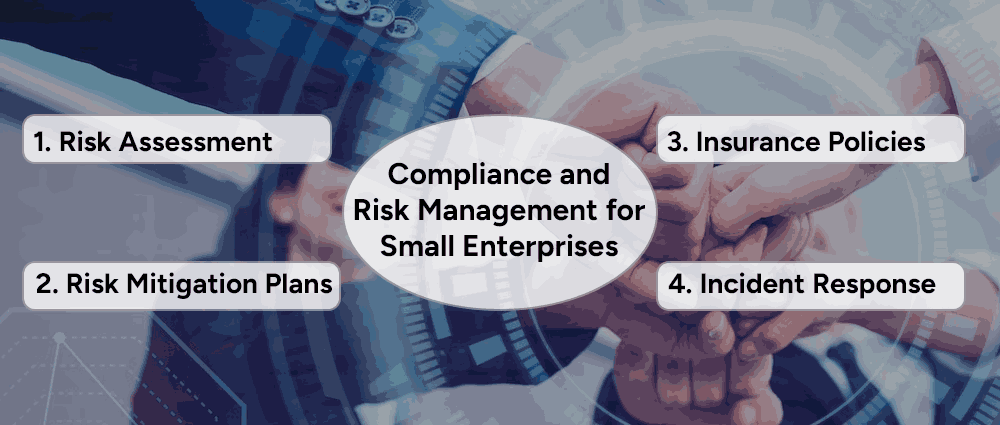
A strong compliance framework is incomplete without an integrated risk management for small enterprises strategy. Your firm can help SMEs mitigate risks through:
Aligning risk management with compliance strengthens SME resilience and ensures long-term sustainability.
Cost is a major factor in SME compliance adoption. Your firm can assist SMEs in cost-effective compliance management by:
By demonstrating cost-effective compliance strategies, your firm can make regulatory adherence more attainable for SMEs.
Compliance management firms seeking to enhance their service offerings can leverage Arpatech’s expertise in:
By collaborating with Arpatech, your firm can offer SMEs cutting-edge compliance solutions, strengthening your reputation as a trusted compliance advisor.
Effective compliance management is a key differentiator for SMEs, offering not just legal protection but also a strategic advantage. As a compliance management firm, you have the opportunity to guide SMEs in adopting best practices, leveraging technology, and mitigating risks.
By partnering with Arpatech, you can provide SMEs with seamless compliance solutions, ensuring their long-term success while reinforcing your firm’s value as a leading compliance partner.
Ready to enhance SME compliance? Connect with Arpatech today and unlock scalable compliance solutions for your clients.
The compliance strategy is a set of procedures, practices, and policies that the organization follows that meet all regulatory, ethical, and legal standards. Compliance strategies for SMEs are essential for organizations so that they may avoid all sorts of reputational, financial, or legal damage. At the same time, following these strategies helps build trust and loyalty with customers and stakeholders.
In prioritizing compliance efforts, SMEs will be required to identify the regulations affecting their industry and prioritize those that represent the highest risks, such as data protection, financial reporting, and labor laws. Hence they should divert their resources appropriately to tackle the most pressing issues of compliance.
The following actions could be taken to ensure compliance strategies for SMEs are adhered to by all employees:
Arpatech works with the best compliance automation companies, offers cybersecurity solutions, and expert consulting to help SMEs stay compliant effortlessly.
Saima Naz
Feb 3, 2025

Boost Growth with Data Analytics for SMBs in 2025
When discussing big data, it often seems like a tool reserved for large organizations. But what if we told you that you, as a small or medium-sized business (SMB), can also use data analytics for SMBs to achieve exponential success?
Yes, you have the data, and yes, you can track customer behavior analytics to improve your business. By organizing the data that already exists in your database, you can leave intuition-driven decisions behind and make factual, data-backed choices.
One of the most significant benefits of using data analytics is making informed business decisions, which reduces uncertainty. Data analysis enables you to improve operational efficiency by examining the information you already have. It’s a game-changer that allows SMBs to save money and understand their customers better – all at once.
Today, different industries are using data science analytics that has helped them create products and services tailored to their consumers’ requirements. From optimizing your marketing strategies to streamlining your operations, the insights provided by data analytics for SMBs can drive growth and profitability.
Moreover, data analytics helps SMBs uncover hidden opportunities. By analyzing patterns and trends, businesses can identify new markets, better understand their competition, and even anticipate future challenges. Predictive analytics, in particular, empowers SMBs to prepare for the future, allowing them to stay ahead in a dynamic market.
Most businesses rely on data to market their products and services. Rather than worrying about having too little data, many businesses struggle with managing the sheer volume of information they collect. Here are three critical types of data analytics for cloud that SMBs can focus on:
Monitoring your organization’s financial health is crucial for staying competitive. By analyzing financial data, SMBs can track sales trends, manage expenses, and maintain a robust financial position. This allows businesses to stay ahead of the competition.
Financial analytics can also assist in forecasting. By examining historical data, improve business decisions with analytics, predict future revenue streams, and plan budgets accordingly. This proactive approach minimizes financial risks and ensures resources are allocated efficiently.
Operational data sheds light on the daily activities of your business. Analyzing this data ensures your operations are running smoothly and efficiently, leading to better performance and productivity.
Operational analytics provides valuable insights into bottlenecks and inefficiencies. For example, tracking inventory levels can help businesses avoid stock shortages or excess while monitoring employee schedules ensures optimal workforce utilization.
Organizing data into these categories helps SMBs streamline processes, improve customer relationships, and make data-driven decisions with confidence.

Here, are steps that you can follow in order to learn how to grow a small business using data analytics:
Start by identifying the specific business challenges you aim to address with data analytics. For example, are you trying to reduce customer churn, optimize marketing campaigns, or improve inventory management?
Gather data from all available sources, including customer interactions, sales records, and website analytics. Categorize this data into marketing, financial, and operational categories for better clarity.
Select the best analytics tools for small businesses and data management platforms for medium-sized enterprises. These tools should align with your budget and offer the features you need, such as data visualization, reporting, and predictive modeling.
Use analytics tools to generate insights from your data. Look for patterns, trends, and anomalies that can inform your decision-making.
Act on the insights gained from your data analysis. For example, if data reveals that certain products are underperforming, consider revising your pricing or promotional strategies.
Continuously track your performance metrics to assess the impact of your data-driven strategies. Don’t hesitate to refine your approach as needed to achieve better results.

Analytics tools are indispensable for SMBs looking to make data-driven decisions. Here are some of the best analytics tools tailored to small businesses:
These tools help SMBs uncover actionable insights using technology like predictive cloud maintenance without requiring extensive technical expertise, making data analytics more accessible and affordable.
Understanding your customers’ behavior is pivotal for SMB growth. Customer behavior analytics focuses on examining how customers interact with your business, from their purchasing habits to their feedback and preferences. Here’s how you can use this data:
By combining customer behavior data with predictive analytics, SMBs can also anticipate future trends and proactively meet customer needs. This forward-thinking approach not only boosts customer satisfaction but also strengthens brand loyalty.

Some practical examples of how data analytics for SMBs are being used to grow their businesses:
Online retailers use predictive analytics to forecast demand and optimize inventory levels, reducing overstock and stockouts.
Small hotel chains analyze customer reviews to identify common complaints and improve their services.
Local stores utilize marketing data to design targeted promotions, increasing foot traffic and sales.
Healthcare clinics monitor operational data in order to streamline patient scheduling and reduce wait times.
Additionally, SMBs in industries like manufacturing can use predictive maintenance to minimize equipment downtime, while logistics companies can optimize delivery routes using operational analytics.
Despite the benefits, SMBs may face challenges in implementing data analytics. These include limited budgets, lack of expertise, data privacy concerns, and the overwhelming volume of data.
Limited budgets can make it challenging for SMBs to adopt data analytics solutions. SMBs often worry about the high costs of software, tools, and personnel required to implement a strong analytics strategy.
To overcome this, explore affordable data analytics for small businesses like Google Analytics or Microsoft Power BI. Begin by prioritizing essential analytics areas, such as marketing or financial data, to focus resources effectively. By starting small and scaling gradually, businesses can balance the costs and benefits of data analytics.
Many SMBs lack in-house expertise in data analytics, making it difficult to interpret data and extract actionable insights. This skill gap can hinder the successful implementation of analytics initiatives.
Address this challenge by investing in training programs for your team. Providing basic training on analytics tools helps employees build confidence and proficiency in data-driven decision-making. Alternatively, consider hiring a consultant or outsourcing complex projects to experienced professionals who can guide your analytics journey.
Handling sensitive customer and business data comes with the risk of breaches or non-compliance with regulations like GDPR or CCPA. These concerns can deter SMBs from fully embracing data analytics.
Mitigate these risks by implementing strong data protection measures, such as encryption, multi-factor authentication, and access controls. Regularly update your security protocols to stay ahead of evolving threats. Additionally, maintain transparency with customers about how their data is collected and used to build trust and promote long-term relationships.
Managing large datasets can be daunting for SMBs. The sheer volume of data collected from various sources can lead to confusion and inefficiency.
Simplify this process by starting with one data category at a time, such as marketing or operational data. Use user-friendly tools that offer intuitive dashboards and automated reports to streamline data analysis. Gradually expand your analytics efforts as your team becomes more comfortable working with data.
By addressing these challenges strategically, SMBs can unlock the full potential of data analytics and pave the way for sustainable growth.
Data analytics for SMBs is no longer a luxury but a necessity in today’s competitive landscape. By leveraging data-driven strategies, small and medium-sized businesses can make informed decisions, enhance customer experiences, and drive growth. With the right tools and a structured approach, even the smallest businesses can unlock the power of data analytics and thrive in a data-driven world.
Start organizing and analyzing your data today with industry experts to uncover insights that will shape the future of your business.
The first of point of action should be to understand the quality and quantity of the data that you hold. The significance of the data your business already possesses. A data discovery workshop is the step in the right direction and you’ll get all your questions answered.
Data analytics is more than simply presenting numbers and statistics to management. It encompasses various components, including, machine learning, predictive analytics, and business intelligence. The focus is on exploring and understanding the data to gain insights that inform actionable decisions.
Data analytics demands a comprehensive approach, involving meticulous recording, thorough analysis, detailed examination of data, and presenting insights through clear and visually engaging formats.
To ensure the success of a data project, it is crucial to lead by example, establish strong leadership from the top, and designate a dedicated data champion as the central point of contact for all data-related matters.
Saima Naz
Jan 27, 2025

Step-by-Guide to Migration to Cloud Architecture and Ap...
In today’s fast-paced world, businesses need to stay ahead by embracing new technology. Moving to the cloud and updating your applications is a game-changing way to boost efficiency, optimize costs, and promote innovation. But without a clear plan, it can feel overwhelming.
Here’s an easy-to-follow guide to help you smoothly migrate to cloud architecture and modernize your apps.
Here are some steps to follow when you are shifting your business to the cloud architecture:

Before jumping into the cloud, spend some time understanding your current setup. Think about what systems and applications are outdated and which ones are ready for the cloud. Identify those that need extra work and pinpoint the challenges you’re facing right now. Consider who in your organization will be most affected by this change. Using tools to map out how your systems interact can give you a clearer picture of where to start.
Be clear about why you’re making this move. Are you trying to cut down on costs, make your apps faster and more reliable, scale up to handle more users, or improve security and meet compliance requirements? Based on your goals, decide whether you’ll use public, private, or hybrid cloud solutions. Choose a cloud provider like AWS, Azure, or Google Cloud that fits your needs. Finally, determine how you’ll migrate—whether by lifting and shifting, tweaking apps, or completely rebuilding them.

A good plan makes everything easier. Start by prioritizing your most critical applications and setting realistic deadlines for each phase. Plan for costs and include some extra for unexpected expenses. Think about what could go wrong and prepare solutions in advance. Automation tools can help speed up this process and reduce errors, making your plan more efficient.
Moving to the cloud isn’t just about technology; it’s about people too. Make sure your team is ready by offering training on cloud tools and platforms. Clearly assign roles and responsibilities to avoid confusion. If your team needs extra support, don’t hesitate to bring in outside help or consultants.

Start small by migrating a less critical application. This allows you to see how well your plan works and fix any issues in a low-pressure setting. It’s a great way to learn lessons that will make the larger migration smoother and more successful.
When you’re ready for the full migration, choose the best approach for each application. Rehosting involves moving apps as they are. Refactoring means updating apps to use cloud-native features. Replatforming involves making small tweaks to improve performance in the cloud. After migration, thoroughly test everything to ensure it’s working as expected.
Modernizing your apps lets you get the most out of the cloud. You can use containers, like Docker, to make apps portable and scalable. Breaking down large apps into smaller, independent pieces with microservices is another option. Serverless computing, with services like AWS Lambda, allows you to run code without worrying about servers. Additionally, implementing DevOps practices can help automate updates for faster and more reliable deployments.

Once everything is in the cloud, keep an eye on how it’s working. Focus on tracking costs with tools to find savings and monitor performance using platforms like CloudWatch or Azure Monitor. Regularly update your security practices to stay compliant with regulations and protect your data.
Moving to the cloud and modernizing your applications doesn’t have to be intimidating. With a solid plan, a prepared team, and the right tools, you can make the transition smoothly and set your business up for success. Remember, this journey is about more than just technology, it’s about creating a foundation for growth and innovation.
You want expert advice and experience? Contact the cloud team at Arpatech and take advantage of our free consultation.
Saima Naz
Jan 24, 2025

Artificial Intelligence in Application Modernization: K...
In this digital transformation era, businesses face the constant challenge of keeping their applications relevant, efficient, and scalable. Legacy systems, while critical to operations, often become congested and hinder innovation and agility.
Application modernization is the solution, enabling organizations to update their existing systems to align with current technologies and business needs. Artificial Intelligence (AI) has emerged as a game-changer in this field, offering powerful tools and methodologies to accelerate and optimize the modernization process.
Here, we’ll explore how AI is reshaping application modernization and why it’s becoming an indispensable tool for organizations seeking to stay competitive.
AI is revolutionizing application modernization by automating complex processes, improving decision-making, and uncovering insights that were previously difficult to achieve. Here’s how AI is contributing to this transformation:
Migrating applications to the cloud is a critical component of modernization. AI can assess application dependencies, workloads, and data flows to recommend the most efficient migration paths. It can also predict potential issues and offer solutions, ensuring a smoother transition to cloud environments.
AI tools can analyze legacy code to identify inefficiencies, outdated practices, and potential vulnerabilities. By automating code refactoring, AI reduces the time and effort required to optimize applications, ensuring they perform better on modern platforms.
AI-driven automation tools streamline repetitive tasks, such as testing, deployment, and monitoring. By integrating machine learning models, these tools can proactively detect and resolve performance issues, reducing downtime and enhancing system reliability.
AI can analyze user behavior and feedback to suggest enhancements to application interfaces and workflows. By personalizing user experiences and making systems more intuitive, AI ensures that modernized applications meet and exceed user expectations.
Modernizing applications often involves adhering to new security standards and compliance requirements. AI-powered systems can monitor applications for suspicious activity, identify vulnerabilities, and ensure compliance with industry regulations in real time.

AI accelerates modernization processes by automating tasks like code review, testing, and deployment.
By reducing manual effort and operational inefficiencies, AI lowers the overall cost of modernization projects.
AI helps design applications that can scale seamlessly with business growth and changing demands.
AI predicts potential issues and provides solutions, minimizing the risk of disruptions during modernization.
AI enables applications to adapt to evolving technologies, ensuring they remain relevant for years to come.

Many organizations have already started leveraging AI for application modernization. For instance, companies use AI-driven tools like IBM Watson or Google Cloud AI to optimize cloud migration processes.
Others employ AI to automate DevOps workflows, enabling faster and more reliable deployments. AI is also playing a pivotal role in improving data management systems, transforming them to handle real-time analytics and machine learning workloads efficiently.

AI empowers businesses to transform their legacy systems into strong, future-ready applications by automating complex processes, enhancing decision-making, and delivering insights.
As AI continues to evolve, its role in application modernization will become even more significant, paving the way for smarter, more efficient IT ecosystems. If you’re embarking on a modernization journey, integrating AI into your strategy could be the key to unlocking unprecedented levels of success.
Are you ready to leverage the power of AI for your application modernization efforts? Connect with Arpatech today!
Saima Naz
Jan 10, 2025


Before we begin, please solve this quick math check to confirm you're human, and you'll be all set to start chatting with our AI assistant.
Stay connected with us to receive the latest information, updates, and insights from our world of innovation.
By entering your email address you will receive promotional updates.


© 2026 ARPATECH (ADVANCED RESEARCH PROJECTS & TECHNOLOGY)