AI tools are now used for several software development tasks, including code generation, debugging, and testing. Agentic AI in software development extends this use by allowing AI agents to work through multiple steps to complete a task rather than responding to one instruction at a time.
A 2025 report from DORA found that 90% of technology professionals use AI at work, and over 80% said it helps them be more productive. AI is becoming part of everyday development work. An agentic platform takes this further by allowing agents to make code changes, run tests, and look into errors as part of the same task.
Teams still need to decide which tasks agents can handle and which require a developer’s input. They also need to check the code and make sure agents only have access to the tools and data they need. The right software development services can support these needs while helping teams build and maintain their applications.
Key Takeaways
What We Will Cover
An agentic platform allows AI agents to work on software development tasks with limited help from developers. Agentic AI in software development allows an agent to follow a task through different stages and complete the required steps rather than responding to one prompt at a time.
To complete the task, the agent needs to use the development tools of the project. These tools may include code storage systems, project tracking tools, testing software, documentation, and deployment tools. When using agentic AI in software development, teams can decide which tools agents can access and which actions require approval from a developer.
For example, a developer may use agentic AI in software development to add a password reset feature to an application. The agent can check the existing code, find the files that need updating, and make the required changes. It can then run tests to verify whether the feature works correctly. If a test fails, it can analyze the error and try to fix it if it has the required permissions.
The main difference between agentic AI and a regular coding assistant is that an agent can continue working on a task instead of waiting for the developer to give another instruction. It can make code changes, run tests, and use the results to decide what to do next.
However, developers can set rules for what an agent is allowed to do. With agentic AI in software development, an agent may be able to edit code and run tests on its own, while a developer reviews and approves the pull request. This keeps developers involved in changes that need closer attention.
The use of agentic AI is not limited to software development. In ecommerce, for example, Google’s agentic shopping tools can help customers find products, compare options, and complete shopping tasks.
An agentic platform can improve agentic AI in software development by helping agents handle tasks that developers usually manage separately. Teams can use agents to complete development tasks and share results between stages without manually passing information from one task to another.
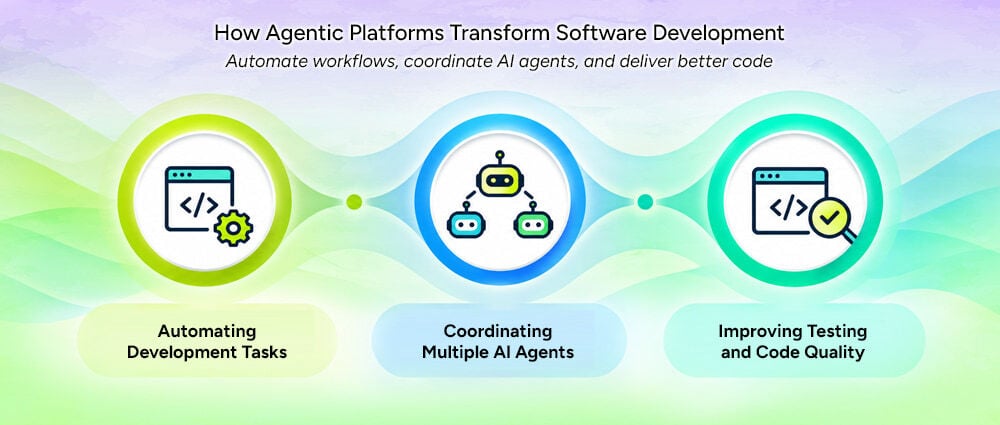
Along with developing new features, developers also spend time on tasks like:
Many of these tasks follow predictable steps, making them suitable for automation.
An agent receives a specific issue and takes steps to resolve it. For example, when updating a dependency, an agent might:
This approach to Agentic coding can reduce the manual work involved in routine development. Developers still define the requirements and review important changes, but they do not have to do every step themselves.
Automation works best when a task is clearly defined, and the result can be checked. Tasks without clear steps may need more planning and developer support.
Some development tasks need different skills. When creating a new feature, teams may need to change the user interface, backend logic, database operations, and automated tests. With agentic AI in software development, a platform can divide this work among specialized agents instead of assigning every task to a single agent.
For example, different agents could handle separate parts of the task:
A coordinating agent or workflow can collect results, track dependencies, and verify that the separate contributions work together.
This setup allows autonomous coding agents to work on independent tasks at the same time. However, they need clear boundaries. When multiple agents work on a task, their changes may conflict if they edit the same files or use different approaches to solve the problem.
The platform needs to track changes, share relevant information, and check the results before combining the work. These steps help teams manage work across multiple agents.
Using AI code generation to write code faster does not automatically improve software quality. The generated code may contain errors, miss unusual cases, or cause problems that are difficult to spot during a quick review.
An agentic platform can use automated tests to check code changes. Agents can help by:
For example, an agent working on a payment feature might run unit tests, check how the application handles errors, and verify whether it gives the correct responses. Changes related to security or payments may need extra testing and review by a developer.
When using agentic AI in software development, teams can include these checks throughout their work to find and fix problems before releasing the software. This allows them to test changes as they go rather than leaving all the testing until the end.
With agentic AI in software development, agents can support different tasks across the development process. The level of human control determines which tasks they can handle on their own and which require developer approval.
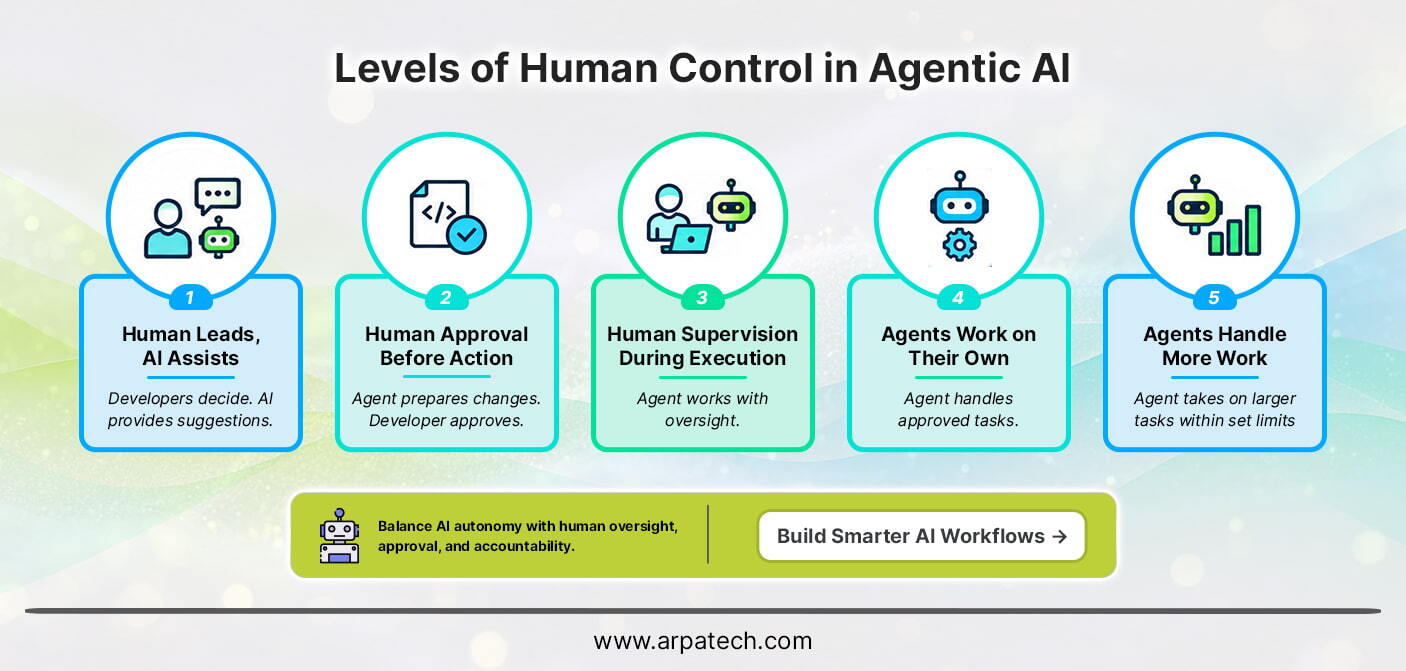
Developers make the decisions and use AI for suggestions, code generation, or explanations. The agent does not carry out changes independently.
The agent can prepare code changes, run permitted checks, or suggest a solution, but a developer must approve certain actions before they proceed.
The agent works on its tasks without asking the developer at every step. The developer checks its progress and helps when something goes wrong.
The agent can handle approved tasks without constant help from developers. It still needs permission to access certain tools or make important changes.
The agent can work on a larger task and decide what to do next within set limits. Developers review the results and step in when needed.
A successful rollout of agentic AI in software development begins with a specific development problem rather than trying to automate as much work as possible. Teams should prepare their existing processes for agentic workflows, set clear rules for agent activity, and expand automation based on results.
The value of agentic AI in software development comes from how well teams integrate AI into their existing processes. The benefits depend on the quality of the platform, the tasks assigned to agents, and the checks used to evaluate their work. Key benefits include:
Using agentic AI in software development can help teams automate tasks, but it also brings risks that need attention. As agents gain more access and freedom to work independently, teams need to set clear limits on what they can do and check their results.
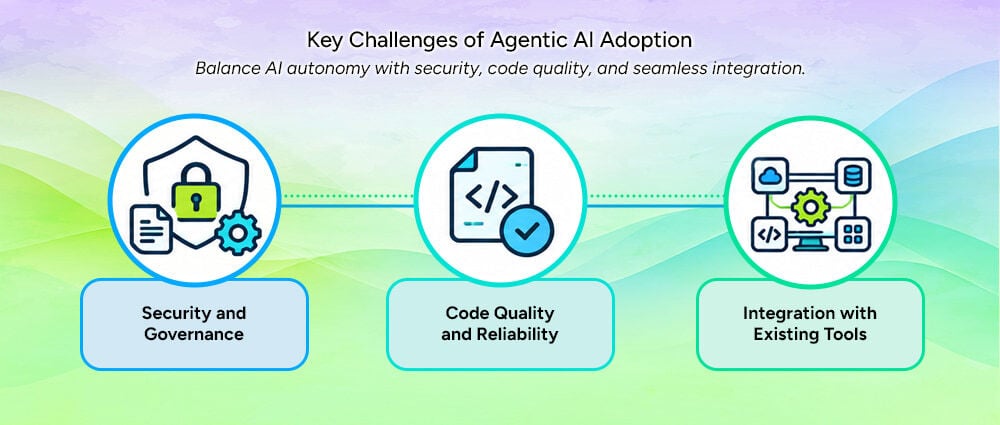
Agents may need access to code, documents, and development tools for tasks such as AI-powered software testing. Giving them too much access can put company data at risk or allow them to make unwanted changes. Teams should limit access to what agents need, review their activity, and require developer approval for important actions.
With agentic AI in software development, agents can make coding mistakes or miss parts of a requirement. These problems may not appear until someone tests the software. Developers should check the code, run tests, and look for security issues before accepting the changes. They should also compare the results with the original requirements.
Teams may face difficulties when adding an agentic platform to their existing tools and processes. Some tools need extra setup, while older systems may be harder to connect. Starting with one workflow helps teams find and fix problems before using the platform across more of their development work.
Agentic AI in software development can handle different tasks, from making code changes to running tests and checking errors. This can reduce some of the routine work developers handle regularly, but the results still need to be checked.
Teams need to make sure the task is clear, the code can be tested, and developers can review important changes before agents take on more work. This helps prevent errors and shows which tasks are suitable for automation.
If you want to improve your development process or update an existing application, Arpatech can help you explore software solutions that meet your business needs.
Agentic AI in software development can write code, fix bugs, create tests, review code, and update documentation. Agents can also investigate errors, suggest fixes, and run tests. Developers should review changes that affect security, business functions, or live applications.
Tools such as GitHub Copilot, ChatGPT, Claude Code, Cursor, and Amazon Q Developer support coding, debugging, documentation, and multi-step tasks. Teams should choose a tool based on their development needs, security requirements, integration with existing tools, and ability to test and review code.
Agentic AI systems can work through a task, choose the steps needed, and use available tools to get it done. In software development, an AI agent can review code, edit files, run tests, and fix errors. An agentic platform can connect these tasks and coordinate multiple agents, while developers set limits on what they can do and decide when approval is needed.
The main goal of agentic AI in software development is to help teams complete tasks faster by automating routine work such as coding, testing, fixing errors, and updating documentation. This gives developers more time to focus on complex problems and system design. Teams should also check whether agents improve delivery time and code quality without increasing errors or repeated work.

Before we begin, please solve this quick math check to confirm you're human, and you'll be all set to start chatting with our AI assistant.
Stay connected with us to receive the latest information, updates, and insights from our world of innovation.
By entering your email address you will receive promotional updates.


© 2026 ARPATECH (ADVANCED RESEARCH PROJECTS & TECHNOLOGY)