Patch management is the process of testing, identifying, deploying, and verifying software updates, called patches, to systems and applications. These patches fix security problems, improve performance, and make the system more stable.
Automation helps make patch management easier by quickly detecting and deploying updates. These tools detect missing updates and automatically deploy fixes across systems. The process can be automated from detection to deployment using a centralized patch management system, though many organizations also require approval workflows to ensure controlled and verified updates.
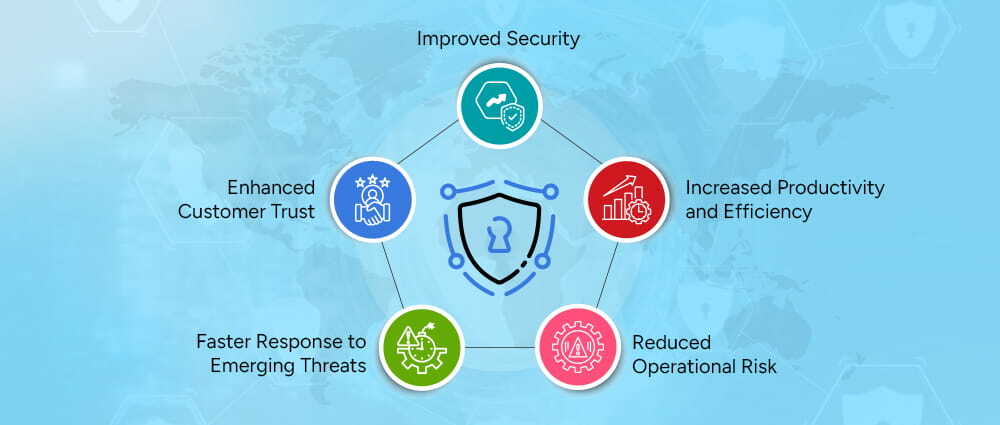
Attackers frequently exploit newly disclosed vulnerabilities before organizations have had a chance to apply the necessary patches. Effective patch management substantially reduces the risk of serious security breaches. Organizations that operate without a patch management strategy remain highly vulnerable to security threats.
With automation managing time-consuming manual processes, IT teams can shift their attention to work that delivers greater value to the organization. This leads to greater productivity without putting unnecessary strain on your team. Learn how to identify and address these risks with a proper cybersecurity risk assessment.
Manual patching can lead to errors that may cause system instability or create security gaps. Implementing a structured patching process minimizes unexpected disruptions and helps keep your systems running smoothly.
A reliable patch management system ensures that improvements and security updates are delivered consistently. When new vulnerabilities arise, a dependable patch management strategy enables critical updates to be applied quickly, reducing your exposure window.
Regular updates build customer trust and demonstrate your organization’s commitment to security and reliability. Customers are more likely to view your organization as one that takes its product and their experience seriously.
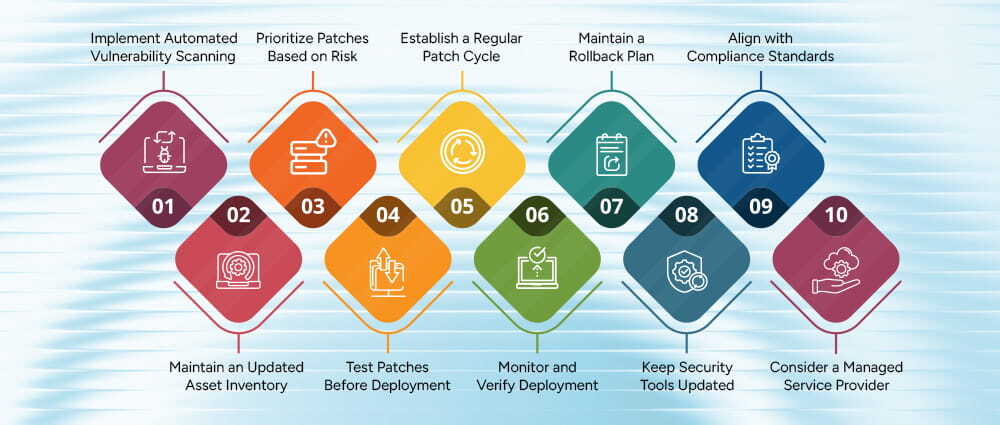
Maintaining a high-quality and secure patch management process is essential. Below are recommended best practices to strengthen your patch management strategy:
Patch management is a fundamental component of any comprehensive cybersecurity strategy. Through automating processes, prioritizing risks, validating updates, and maintaining continuous system monitoring, organizations can significantly reduce their vulnerability exposure and sustain operational stability.
Adopting a proactive approach to patch management not only strengthens security but also improves performance, compliance, and customer trust.
For more information or assistance with patch management solutions, please contact us today.

Before we begin, please solve this quick math check to confirm you're human, and you'll be all set to start chatting with our AI assistant.
Stay connected with us to receive the latest information, updates, and insights from our world of innovation.
By entering your email address you will receive promotional updates.


© 2026 ARPATECH (ADVANCED RESEARCH PROJECTS & TECHNOLOGY)